Write the thing down.
Send the signed documents. Call your best friend on their birthday. The details that make a reminder useful.
 TillYouDo
Reminders for real life iPhone
A notification is easy to miss. TillYouDo brings it back until you explicitly close the reminder. With a little persistence, and room to breathe.
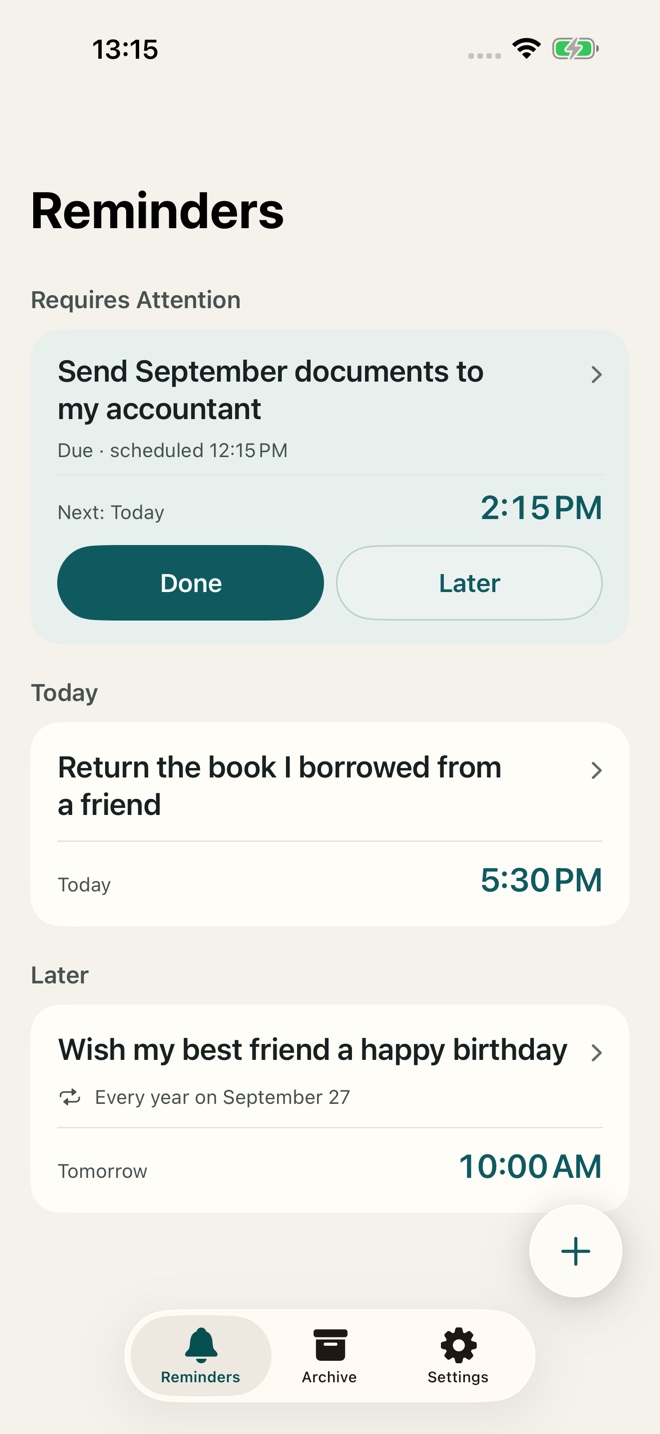
Dismissed ≠ done.
You decide when a reminder is finished.Simple by intention
Send the signed documents. Call your best friend on their birthday. The details that make a reminder useful.
In 15 minutes, on a date, or on a recurring schedule. Set a plan for what happens if it is still unfinished.
Tap Done to close it. Snooze when now is not the right time. Dismissing an alert leaves the reminder open.
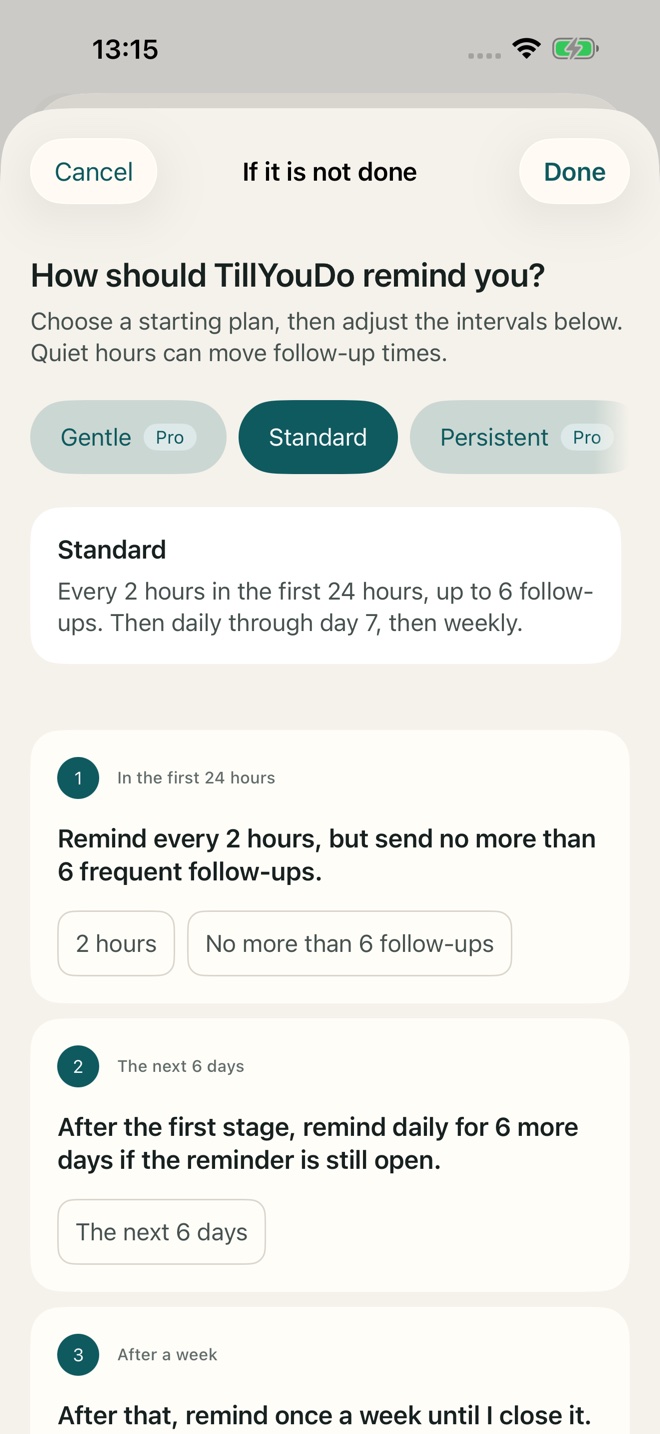
If it is still unfinished
The default plan starts with closer follow-ups, then gives you more space. Or choose one notification. You stay in control of how your reminder comes back.
Choose your follow-up planDelivery follows your settings and iOS permissions.
Small things. Real consequences.
An annual reminder for a person who matters. Annual recurrence is part of Pro.
Keep the whole thought in the title. If the meeting runs late, snooze to a better moment.
A monthly reminder, with a clear Done when it is taken care of. Included in Free.
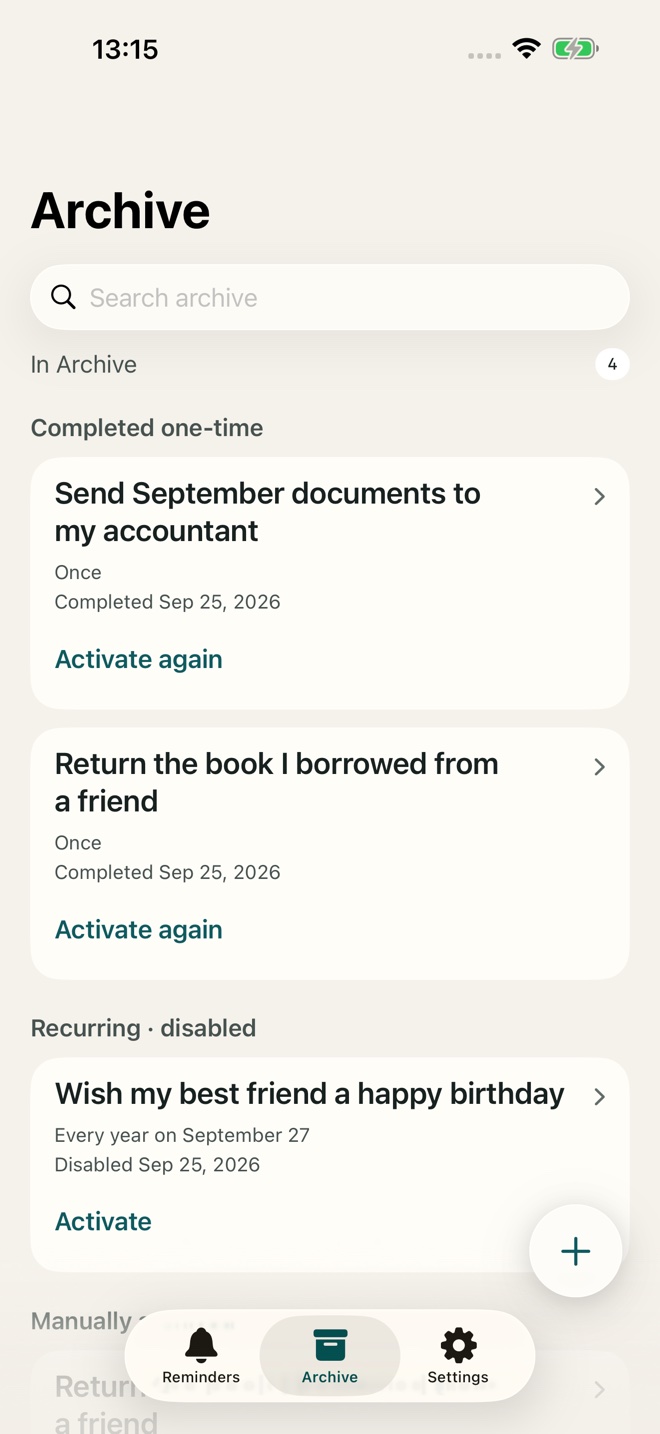
Keep the useful part
Archive keeps your reminder and its settings. Bring it back when you need it, without building the same plan from scratch.
See how Archive worksPersonal means personal
Your reminders live on your iPhone. No TillYouDo account, ads or analytics SDK. Apple handles purchases and system services.
Read the privacy policy