 TillYouDo
The TillYouDo guide
Keep the reminder. Reuse the setup.
An archive is useful when a good reminder will be useful again. It keeps the wording and settings, not a productivity score.
Updated 27 September 2026 · iPhone · iOS 26+
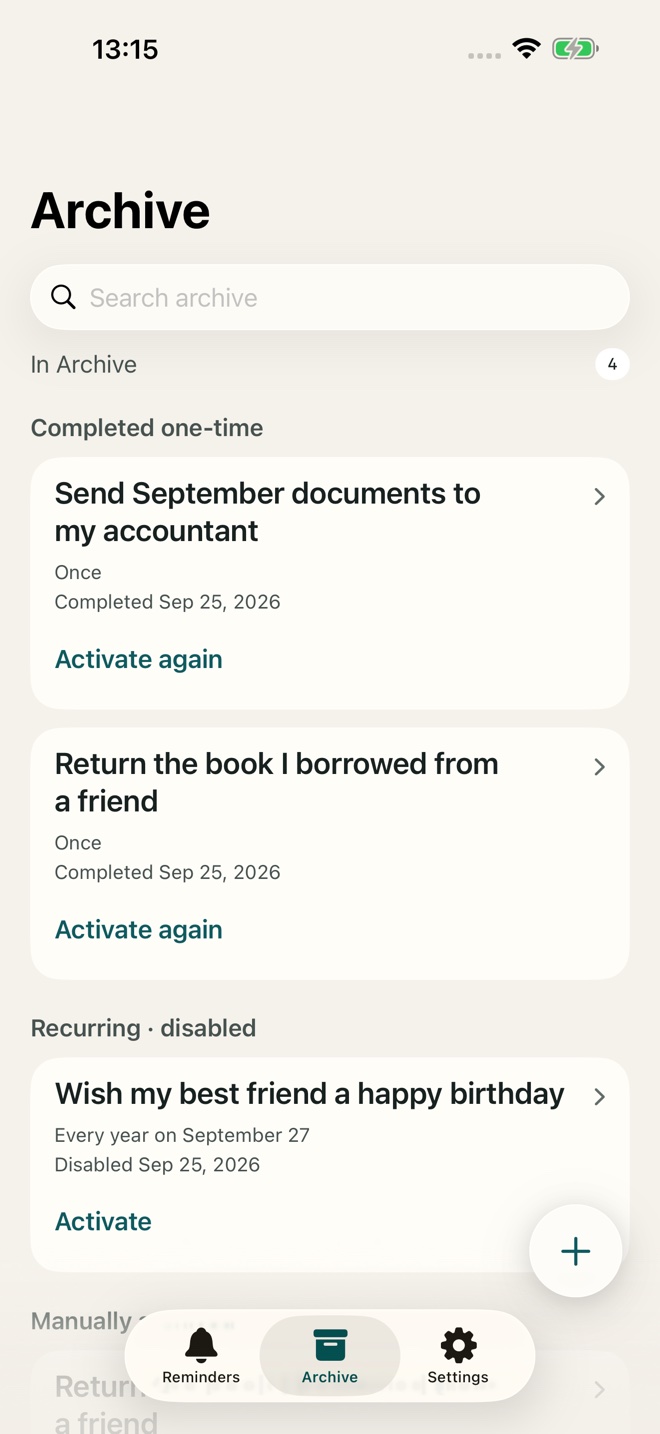
Archive is different from delete
Archiving removes a reminder from the active list while keeping it and its settings for reuse. Deletion is a separate action. TillYouDo does not turn Archive into a detailed occurrence history or a record of measurements.
Bring a reminder back
Open Archive, find the reminder using search if needed, and choose its activation action. Review the next time and confirm. A stored reminder gives you a starting point without rebuilding the schedule. Archived reminders do not count towards Free’s five-active limit; reactivation must fit the available capacity.
Undo an accidental deletion
Individual deletion offers Undo for 15 minutes. To clear the archive, open Settings → Your data → Clear Archive and confirm. That operation has one Undo for the selected group, also available for 15 minutes after reopening the app. Undo does not overwrite newer changes.
A full reset is deliberately separate
Settings → Your data → Delete All Data uses a separate confirmation and has no Undo. It removes local reminders, archive and retained Undo copies, and resets settings and onboarding. If system-notification cleanup is unfinished, the app provides a retry screen.
Purchases and backups are separate
Deleting local data does not cancel an Apple subscription or remove purchase ownership. Device backups and copies you chose to share are managed separately. TillYouDo support cannot recover reminder content stored only on your iPhone.